Showing posts with label bolt. Show all posts
Showing posts with label bolt. Show all posts
Saturday, July 29, 2017
Micromax Bolt A082 Flash done with SP flash tool tested
Micromax Bolt A082 Flash done with SP flash tool tested
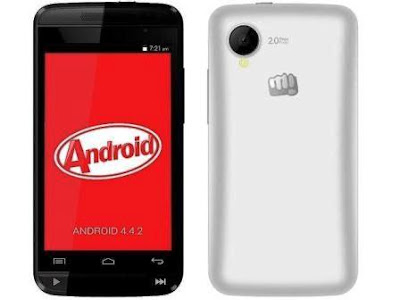
Before use this tutorial first read all tutorial carefully after following step by step and any problem using this tutorial then leave comment on below comment box i will soon good reply with also remember before use this tutorial also check device in hardware if hardware issue in device and try to flash using this tutorial then your device will be dead or other issue so first check in hardware after try in flash tutorial when device customer take this device for software then in hang issue so i use below firmware or flash tool so i was success and problem was solve of hang on solution but remember not only hang on logo solution but your device if restarting issue, hang issue then you can use this tutorial please carefully use this tutorial and read below description about firmware.
This flash file tested by me without any error working well, you can use this flash file when your device hang on logo problem, restarting problem, security lock problem, password lock problem, pattern lock problem etc software related problem and you can use this tutorial without any box and this is free for all who know about software in mobile, impotent for flashing first must check your micro usb cable if not good then you cant flash it so check micro usb cable second check your device battery that is impotent for flashing if your device battery low so stop your device between flash so this is impotent for flash, before you flash save your data like contact, photos, videos etc because this is factory flash file so you cant save after full flash so must remember all are impotent notes.
Download Link
Micromax A082 Stock ROM Firmware Download here
SP_Flash_Tool_v5.1343.01 Flash tool Download here
Micromax A082 USB Driver Download here
Required for flash:
1. Micromax Bolt A082 device with good battery charged
2. Micromax Bolt A082 tested firmware
3. SP_Flash_Tool_v5.1343.01 Flash tool
4. Micro usb cable
6. Computer or Laptop
Procedure:
1. Download tested firmware from above link (if link not working just leave your comment on below comment box)
2. Extract to both files into desktop or as you like path (must be installed winrar software in your computer)
3. Open SP_Flash_Tool_v5.1343.01 folder and choose flash_tool.exe file and open it
4. Click on Scatter-loading button and choose MT6572_Android_scatter.txt file
5. Now click on Download button
6. Press and hold Volume UP button and insert usb cable
7. Wait until driver install, if driver installed in your computer then download start automatically into device
8. Wait until full install (do not try in unplug while your device in flashing mode)
9. Congratulation you are done
Micromax Bolt A082 Flash done with SP flash tool screenshot;
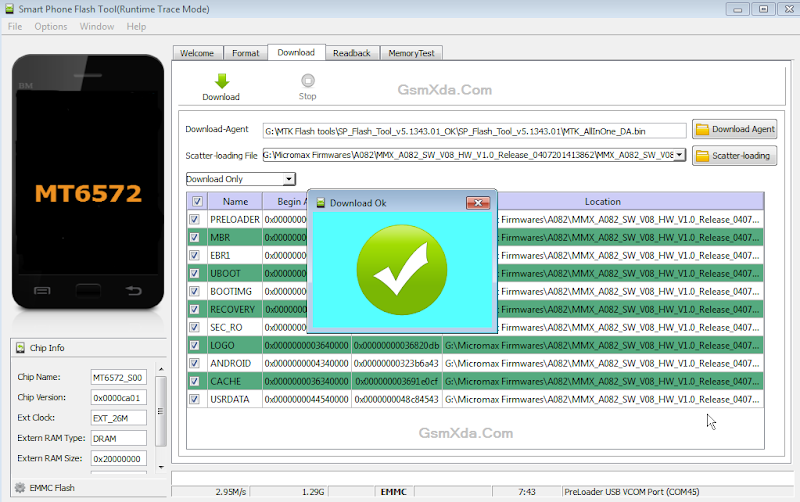
Micromax Bolt A082 Flash done with SP flash tool Video HERE
Available link for download

Wednesday, March 1, 2017
Micromax Bolt A069 Flash done with Sp flash tool tested
Micromax Bolt A069 Flash done with Sp flash tool tested

If you have micromax bolt a069 and in that problem like hang on logo, pattern unlock, restarting problem then you can using this tutorial for that solution and if your device dead then you can use this tutorial but must to be in software related issue if your device hardware issue then you cant solve above mention issue so please care fully use this tutorial i suggest before use this tutorial first carefully read this tutorial after following this if software issue and not solve your problem then write down comment on below comment box i will soon good reply
This flash file tested by me without any error working well, you can use this flash file when your device hang on logo problem, restarting problem, security lock problem, password lock problem, pattern lock problem etc software related problem and you can use this tutorial without any box and this is free for all who know about software in mobile, impotent for flashing first must check your micro usb cable if not good then you cant flash it so check micro usb cable second check your device battery that is impotent for flashing if your device battery low so stop your device between flash so this is impotent for flash, before you flash save your data like contact, photos, videos etc because this is factory flash file so you cant save after full flash so must remember all are impotent notes.
Download Link
Micromax Bolt A069 Stock Rom or flash tool download here
Whats need for flash ? :
1. Micromax bolt A069 device with good battery charged
2. Micromax bolt A069 tested firmware or flash tool you can download from above link
3. Micro usb cable
4. Computer or Laptop
Procedure:
1. First download tested firmware or flash tool from above link (if link not working just write down your comment on below comment box)
2. Extract to desktop or as you like path (must installed winrar in your computer or laptop)
3. Open Sp flash tool folder and choose flash_tool.exe file and open it
4. Click on Scatter-loading button and choose MT6572_Android_scatter.txt file
5. Now click on Download button or shortcut key Ctrl + D
6. Press and hold Volume Up button and insert usb cable
7. Wait until driver install, if driver installed in your computer or laptop then downloading automatically start into device
8. Wait until full install os (do not disconnect device while in flashing mode)
9. Congratulation you are done from many software related issue
Micromax Bolt A069 Flash done with Sp flash tool screenshot:

Micromax Bolt A069 Flash done with Sp flash tool video HERE
Available link for download
Friday, December 16, 2016
Micromax Bolt A62 Flash done with Flash tool tested
Micromax Bolt A62 Flash done with Flash tool tested
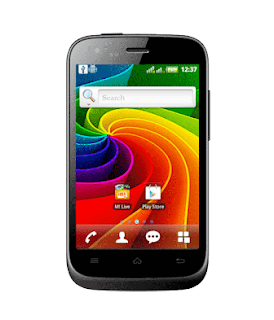
This is simple tutorial for flashing micomax a62 bolt here simple put procedure for everyone better understand but remember before use this tutorial first of must be charged your device battery also check device usb socket also check micro usb cable if any issue in that then you cant flash so be carefully use this tutorial i suggest you first ready all tutorial after following step by step so you can easy flash to device
This flash file tested by me without any error working well, you can use this flash file when your device hang on logo problem, restarting problem, security lock problem, password lock problem, pattern lock problem etc software related problem and you can use this tutorial without any box and this is free for all who know about software in mobile, impotent for flashing first must check your micro usb cable if not good then you cant flash it so check micro usb cable second check your device battery that is impotent for flashing if your device battery low so stop your device between flash so this is impotent for flash, before you flash save your data like contact, photos, videos etc because this is factory flash file so you cant save after full flash so must remember all are impotent notes.
Download Link
Micromax A62 Bolt Firmware or Tool Download here
Micromax A62 Bolt USB (Flashing) Driver Download here
Required for flash:
1. Micromax A62 Bolt device with good battery charged
2. Micromax A62 Bolt Stock ROM Firmware
3. Micromax A62 Bolt USB Flashing driver
4. Micro usb cable
5. Computer or Laptop
Procedure:
1. Download tested firmware from link
2. Extract to desktop or as you like path (must be installed winrar software in your PC)
3. Open UpgradeDownload.exe file from Flash tool folder
4. Click on Firmware Button and choose Micromax_A62_FOREIGN_V1.1.6_usr_r12394.tar.gz.pac file from firmware folder
5. Wait few seconds for properly loading flash file
6. Click on HWINfoImg Option and choose file of your device hardware match version and then click on button
7. Click on Start Upgrade button
8. Use Volcano box or Miracle box for boot driver
9. Wait until driver install, if driver installed in your computer then downloading automatically start
10. Wait until full installed android os
11. Congratulation you are done
Micromax Bolt A62 Flash done with Flash tool Screenshot:
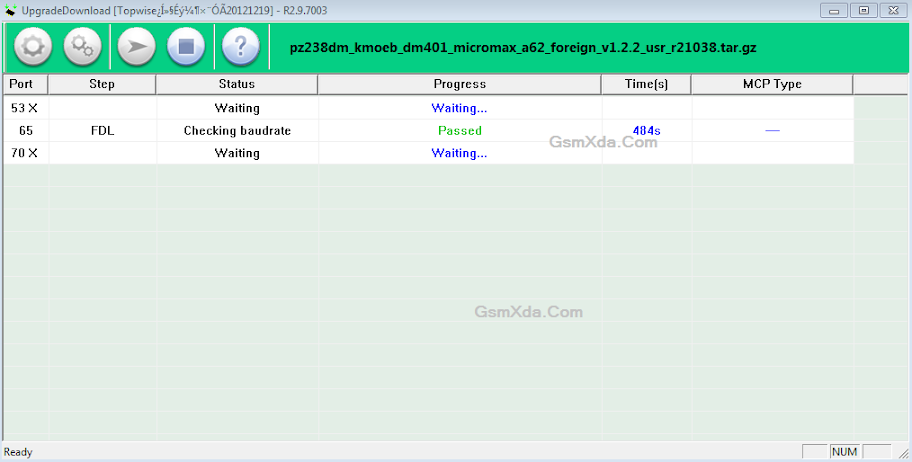
Micromax Bolt A62 Flash done with Flash tool Video HERE
Available link for download
Subscribe to:
Posts (Atom)