Showing posts with label qmobile. Show all posts
Showing posts with label qmobile. Show all posts
Wednesday, March 22, 2017
REleased CWM based recovery for Qmobile Noir A35 REleased
REleased CWM based recovery for Qmobile Noir A35 REleased
CWM based recovery released first time on 313Tech.blogspot.com but it is still buggy
Known bugs:
you can remove some useless apk to make backup that can be restored with no error
these stock apk can be deleted for making backup
1:remove backup and restore stock apk
2: remove any third party apps i suggest you to wipe data or factory reset your noir a35
3:remove play store if you want and i recommend you to remove all ringtones and notifications from your noir a35
first you have to root for rooting noir a35 click >>>here <<<
download root explorar from here
and go to system/media/audio/ringtones and delete all files from it
if you can not delete some apks or ringtones restore will be stopped so first delete rintones and notification and then make backup also factory reset your mobile before procedding
some time MD5 check sum error pop up but if you try 2 or three times this will gone
2; go to system/media/audio/notification and remove all files from this folder
so we have done freeing some space so that restore process cant be stopped
recovery i m uploading is patched so flash it through
requirments:
1; running computer
first connect your a35 and open mtk droid tools and root.exe click on root and back window and click on flash already prepared recovery.img
after flashing a window will come saying want to reboot into flashed recovery click yer an voilaaaaaaa Custom recovery in your hand
Download recovery.img >>>here<<<
Copyright Powered by Blogger.
plz share this post to others
backup made with it cannot be restored because system partition gets full so backup process stoppeed but
or es file manager from here
2; usb cable
3; mtk usb drivers download from here
4; mtk droid tools and roots download from here
(dont know forgot the names )
Policy
Available link for download

Friday, March 10, 2017
How to upgrade Qmobile noir i9 to Kitkat 4 4 2 official
How to upgrade Qmobile noir i9 to Kitkat 4 4 2 official
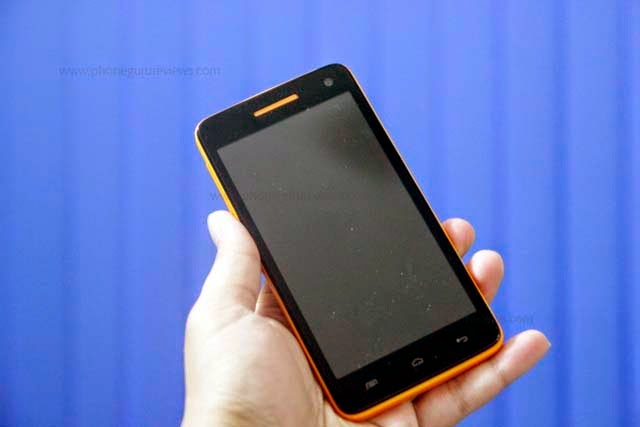
Disclaimer: Flash at your own risk, I added tutorial so if something gone wrong to your phone, dont blame me.
Quote:
IMEI / NVRAM Backup
Method 1:
Before Installing the KitKat Follow These Steps.
1. Download MTK Droid Tool From Here
2. i9 must be rooted and USB debugging must be enabled before you proceed.
3. Attach the cell phone with data cable and run mtk droid tool as admin.
4. When device got loaded press the root button and grant root access on cell phone.
5. Click on IMEI/NVRAM button and click on backup.
6. Now in case after flashing u lost IMEI follow the same steps but now click on restore.
Quote:
QMobile KitKat Release
Before you update Back Up your current rom using custom recovery in case you want to revert back
Smart Phone Flash Tool and Driver
Firmware Download
1. First of all download the required files.
2. Install Tinno Driver.
3. Extract All Zips.
4. Run the Flashing Tool as admin (Right Click on the file and click on run as admin)
5. Download Scatter File From Attachments And Add It In Firmware Folder Now Load It, all files will be loaded now click on the address bar in front of recovery and select the recovery attached below.
6. Select Firmware Upgrade.
7. Power off the cell phone and remove battery.
8. Now click on download and attach the cell phone without battery to data cable.
9. Wait till flash. You are done.

10. Enjoy Official Noir i9 KitKat.
Available link for download
Saturday, January 14, 2017
How to install kitkat 4 4 on Qmobile a900
How to install kitkat 4 4 on Qmobile a900
Installation Instructions:
- Download The file from the given link above.
- To flash this file your A900 must be rooted and have custom recovery If your phone is not rooted kindly refer to this post for rooting procedure http://appsandtips.blogspot.com/2014/09/root-qmobile-all-smartphones-easily.html
- For installing custom recovery in your phone kindly follow these steps:
- download and install MTKtools from playstore
- Download CWMR from here : http://d-h.st/Sle
- Open MTKtools
- Select recovery update option
- Browse to your downloaded CWMR and apply it
- Now place the downloaded file (octarom_kk_discovery_1.zip) in the root of your SD card
- Turn off your phone
- Go to the recovery mode by pressing and holding Volume Up + Power button at the same time
- First make a backup of your current ROM so if you mess up somewhere you can go back to your old ROM
- Select back and restore and then select backup. Wait until its done
- Now go back and select Wipe/data or Factory Reset
- Select wipe cache partition
- Now go to advanced and Wipe Dalvik Cache
- Go back to main menu of recovery mode
- Now select install zip from sd card
- Choose the file “octarom_kk_1.zip”
- Wait for 5-10 minutes for the ROM to flash completely.
- Once its done go back to main menu and reboot your phone
- Tada! Your device is running KitKat now

DOwnload rom from here
https://yadi.sk/d/CD4D5HZ6TentK
Available link for download
Sunday, September 11, 2016
How to Root QMobile Noir i10 CWM Recovery
How to Root QMobile Noir i10 CWM Recovery

Today well root Qmobile Noir i10 and also well flash CWM recovery to make this android phone more powerfull and kindly follow the instructions as mentioned in the post to avoid any problems :D
Ok lets Root this Beast :)
-First download this .zip file which contain all the important things you need in this rooting + Flashing recovery procedure. Download Here
-Enable Usb Debugging
-Download and install android adb drivers from here
-Download Sp Flash Tools From here (From XDA)
-Now turn off your phone wait for 10 seconds after power off
-Now connect it to pc & open SP Flash Tools
-Then Click on Scatter-Loading & choose the scatter .txt where you extracted the .zip file

CATION!!!:
Only Mark Recovery.img Unmark Preloader+ Mbr + EBR1 + UBOOT +SEC_RO ETC only choose recovery.img

now copy SUPER SU UPDATE.ZIP to Sd card And reboot phone into recovery mode by pressing
Power Button+Volume Down

AND VOILA :D Your beast is Rooted
Available link for download
Subscribe to:
Posts (Atom)